
Taskdn
Beautiful task management with your data stored as markdown files you actually own.
---
title: Review quarterly report
status: in-progress
due: 2025-03-15
projects:
  - '[[Q1 Planning]]'
---

## Notes
Key points to review:
- Revenue projections
- Budget allocationsYour tasks are just markdown files. Edit them anywhere, version them with git, back them up however you like.
Desktop App
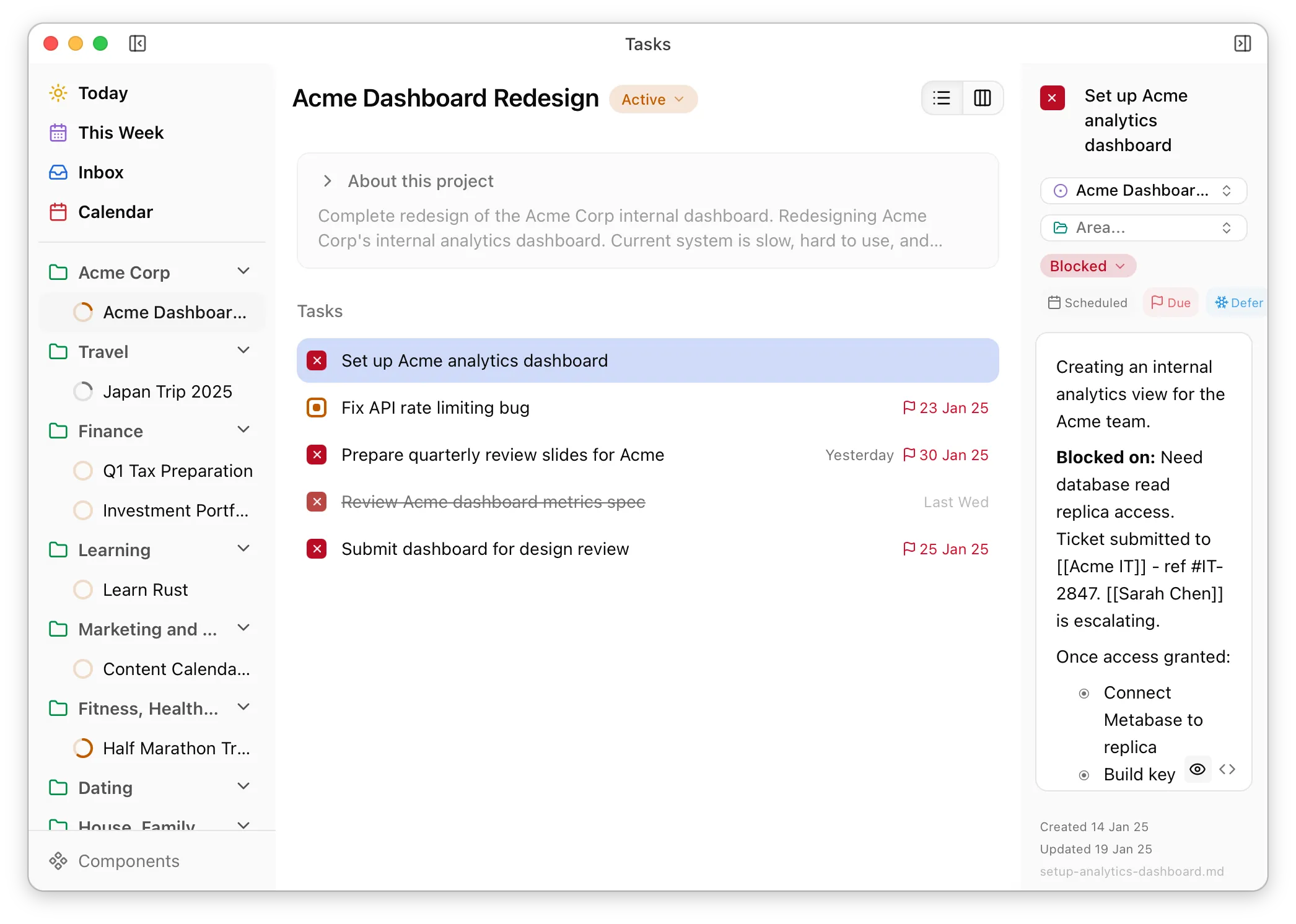
A task app that actually feels good to use—fast, keyboard-driven, thoughtfully designed—but your files stay on disk as markdown. No lock-in. No wondering what happens when the company gets acquired.
- Global shortcut captures tasks without breaking your flow
- Today, Inbox, This Week views work out of the box—no configuration
- Keyboard-first for people who find clicking slow
- Lists, Kanban, or calendar—whatever fits how you're thinking
Command Line Interface
Two modes for two audiences. For you: pretty output, fuzzy search, natural language dates. For AI agents: structured markdown designed for context windows—token-efficient, still useful if truncated.
- See what's overdue, due today, and in progress—one command
- Give AI full context in a single call: project, tasks, timeline, relationships
- Search the way you'd say it, not how files are named
- "Next Friday" instead of ISO dates
Obsidian Plugin
You're in Obsidian to write, not manage tasks. Link to a task and see its status, project, and due date right there. Check it off without opening another file.
- Task links become widgets showing what you need to know
- One click to mark done—no context switch
- Colors tell you what's blocked or overdue at a glance
- Turn any checklist item into a proper task when it grows up
Claude Code Plugin
Claude can already read your markdown files. This teaches it how your system works—so "What's overdue?" gets a real answer, not a frontmatter tutorial.
- Ask naturally: "What should I focus on today?"
- Create tasks mid-conversation without opening another app
- Help with the tedious parts—inbox processing, weekly reviews
- Works from any project directory, not just your vault